
Embedding a Google Map
Using our Embed feature, it’s easy to add social posts and custom content into your story. In order to embed a Google Map, you will need more than a URL.
Step 1: Get the embed code for your map.
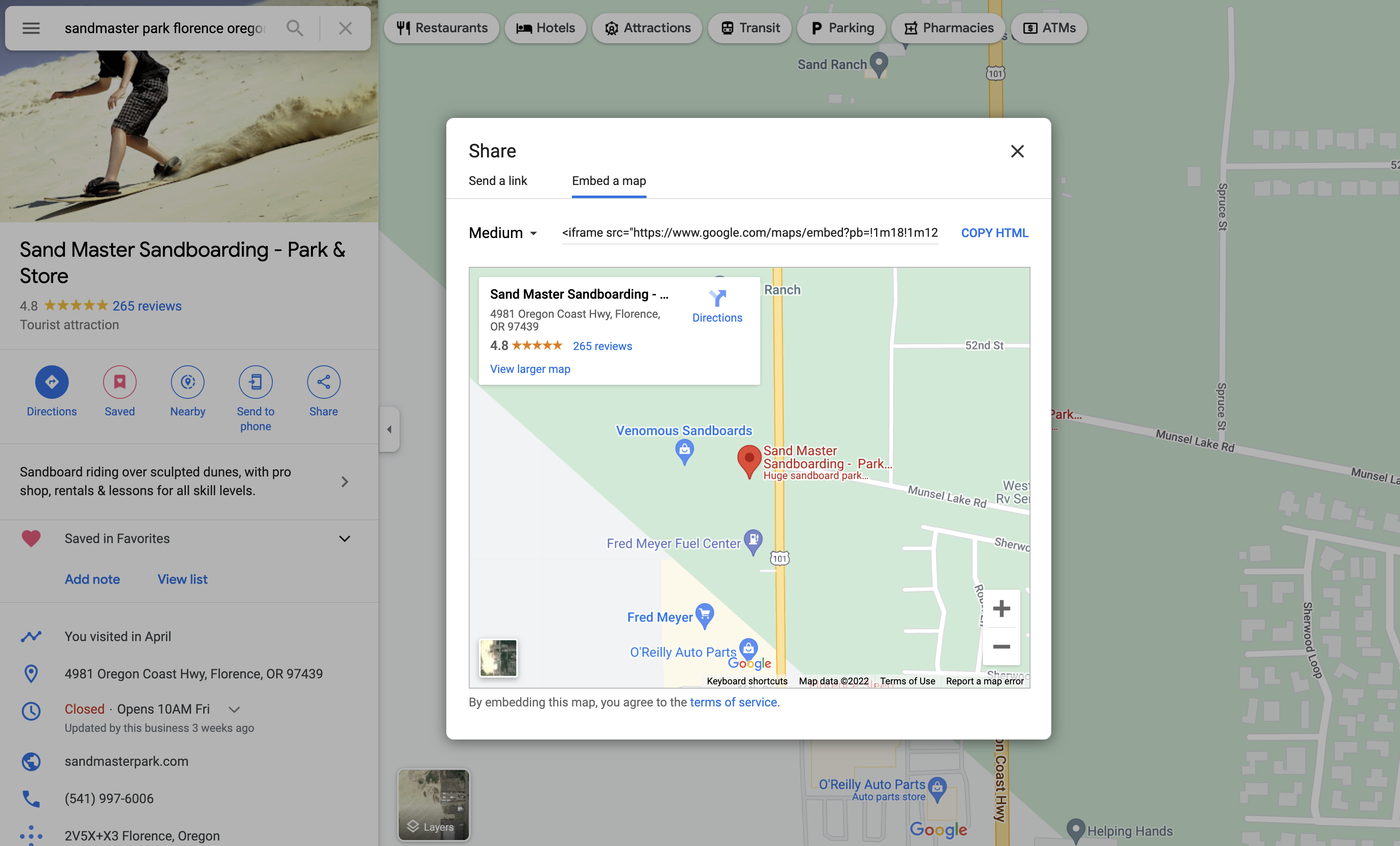
Section titled “Step 1: Get the embed code for your map.”Instead of looking for the Share option, you want to find “Embed on my site” or “Embed a map” in Google. You will know you have the right code when you see the word iframe in it. Copy it!
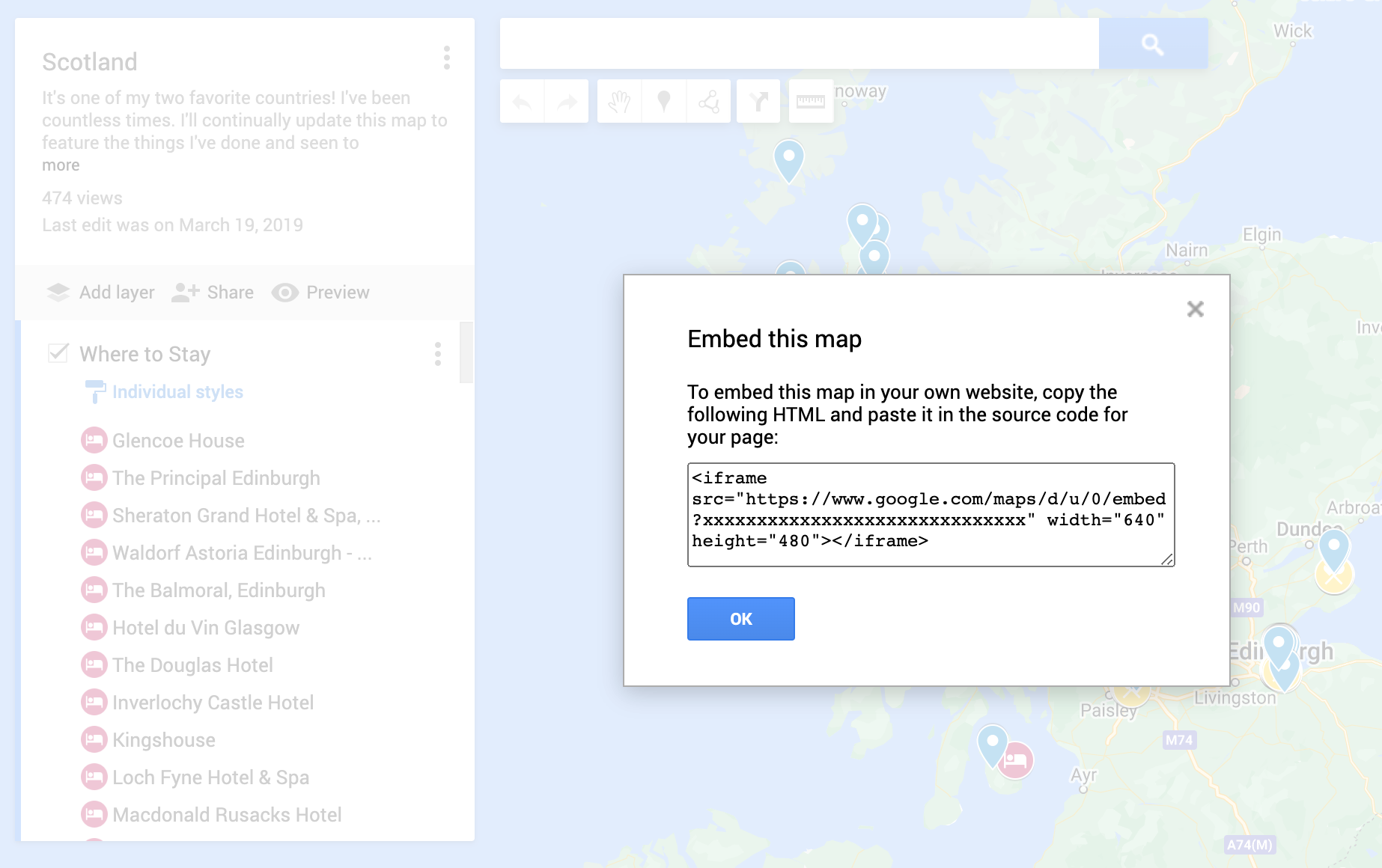
How to Embed a Public Google Map
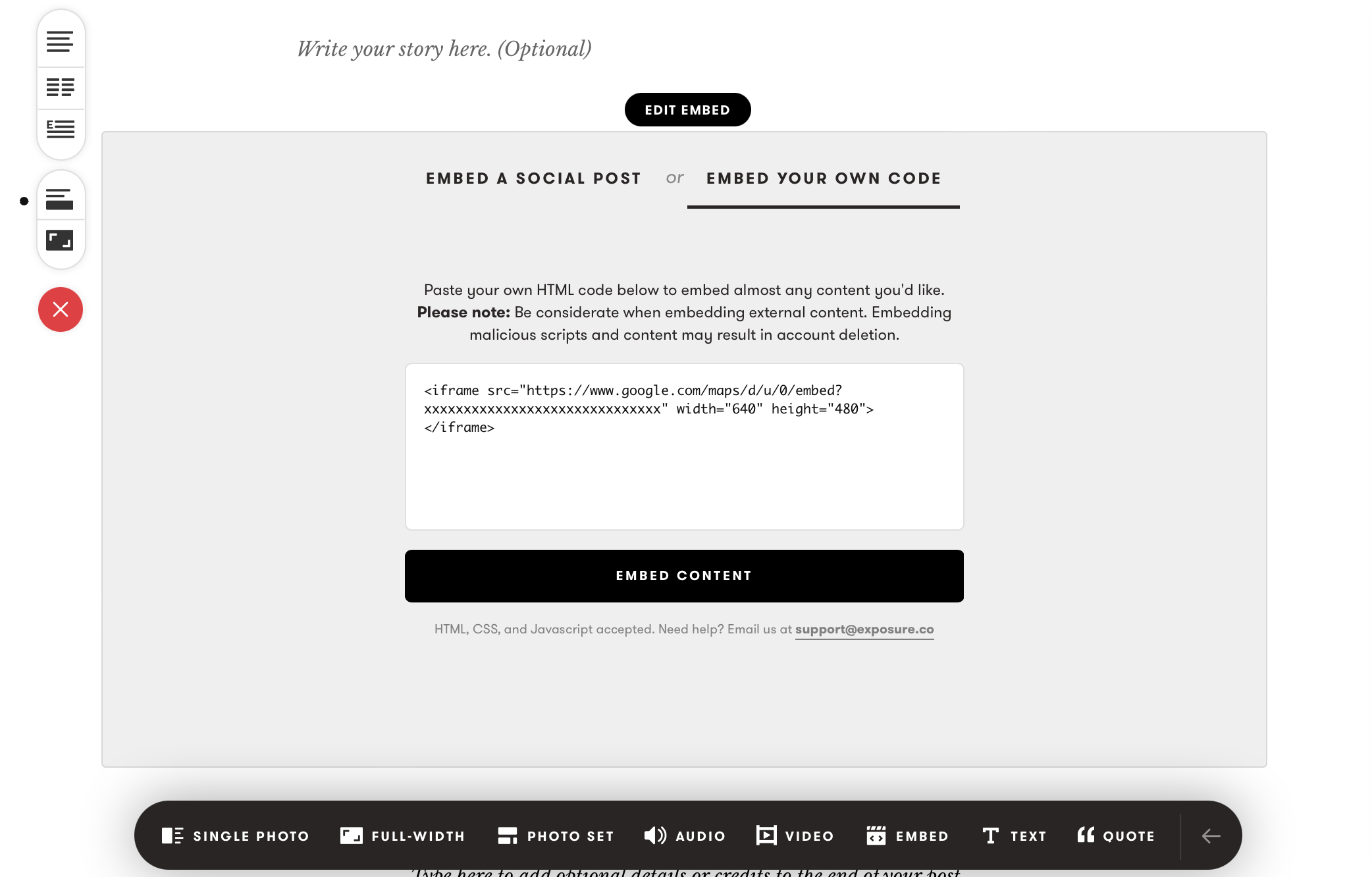
Step 2: Paste into Exposure
Section titled “Step 2: Paste into Exposure”Start a new Embed group type and select the “Embed your own code” tab. Paste the iframe code from Google and click “Embed Content.”
Step 3: Enjoy
Section titled “Step 3: Enjoy”We believe embedding maps content can enhance your Exposure stories and we hope you enjoy this feature!
Need help?
Section titled “Need help?”Use the Exposure contact form.