
Fix two-factor sign-in problems
If your authenticator is unavailable, sign in with your password and one unused recovery code. If a code is rejected, use the checks below.
An authenticator code does not work
Section titled “An authenticator code does not work”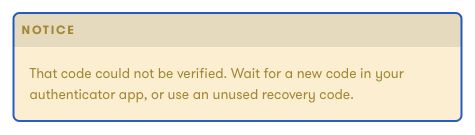
- Check that you selected the code for the correct Exposure account.
- Wait for a new six-digit code in your app. A code you used to sign in or complete setup cannot be used again for another security check.
- Enter the current code before it changes.
- Check that your device date and time are set automatically.
- If you changed authenticators, use the new authenticator. The old one stops working after you confirm the change.
During setup, enter a code from the authenticator you are setting up. A recovery code cannot confirm a new authenticator.
A recovery code does not work
Section titled “A recovery code does not work”Use a code from the most recent set for this account. Each code works once. Creating a new set or changing your authenticator invalidates the old set.
See Use and replace recovery codes.
The sign-in or setup expired
Section titled “The sign-in or setup expired”Select Start sign-in again if the sign-in attempt has expired or ended after too many tries. For expired setup, return to Security & Signin and start setup again.
Restarting does not clear a temporary attempt limit.
Exposure asks you to wait
Section titled “Exposure asks you to wait”Repeated failed attempts can temporarily stop verification. Follow the message on the screen. Depending on the limit, you may need to wait up to ten minutes or up to 24 hours.
Do not keep submitting codes during the wait. Contact support if you did not make the attempts or need help understanding the message.
You lost your phone
Section titled “You lost your phone”Use an unused recovery code to sign in. Then change your authenticator and save the new recovery codes.
You lost both your authenticator and recovery codes
Section titled “You lost both your authenticator and recovery codes”Use the Exposure contact form. Explain that you cannot complete two-factor authentication and identify the account you need help with.
Access to the account email alone does not remove two-factor authentication. A password reset does not bypass the code check. Support must establish account ownership before any recovery action, and recovery is not guaranteed.
Never send your password, setup key, or recovery codes to support.
Need help?
Section titled “Need help?”Use the Exposure contact form.