
Add Tax ID and Billing Address to your Invoices
If you need to add VAT, a Tax ID, or update your billing address as it shows on your invoices:
-
Navigate to Billing (https://exposure.co/billing/subscribe)
-
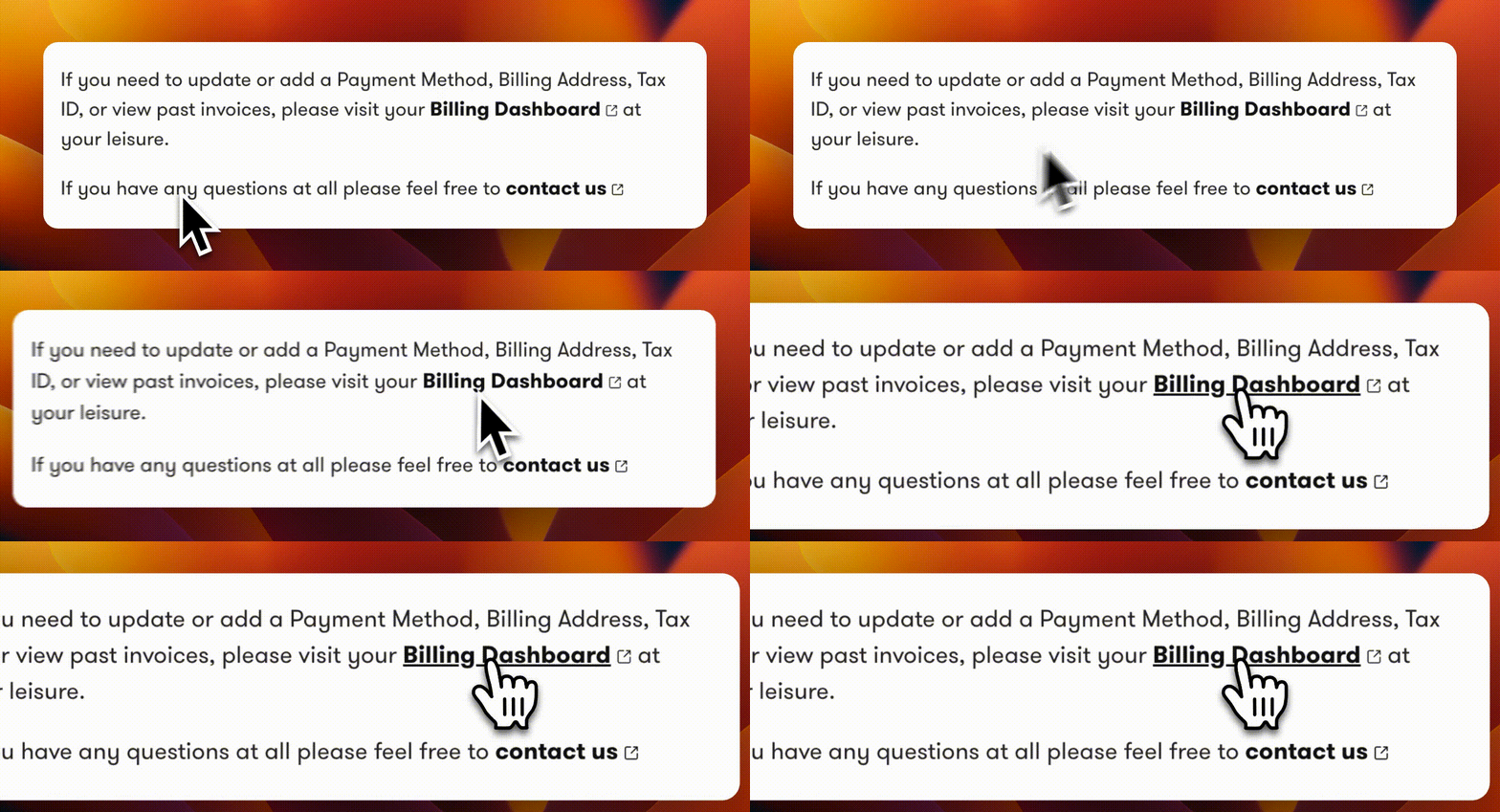
Click on either “Billing History” on the right-hand menu, or on “Billing Dashboard” in the middle of the page.
-
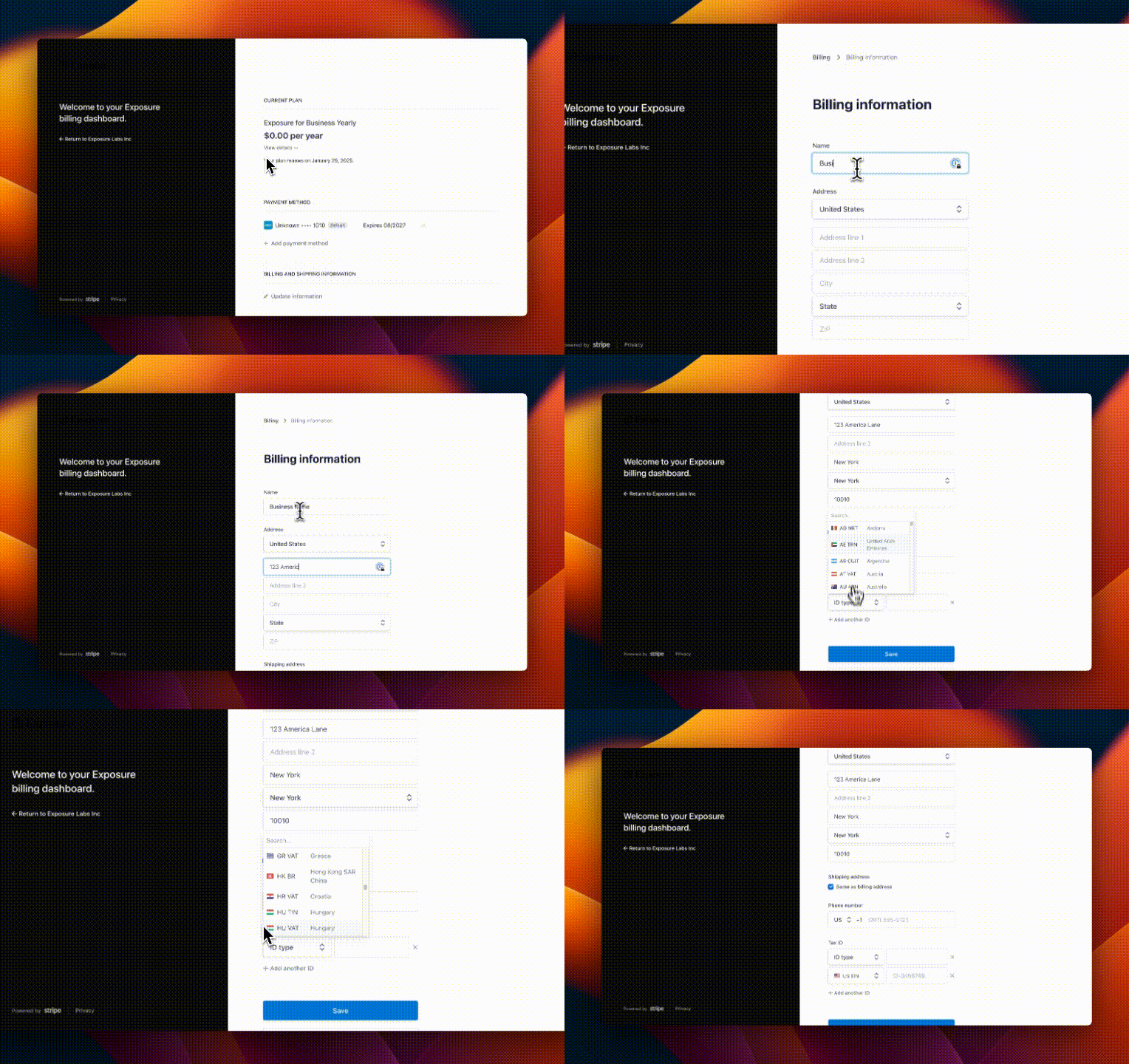
Once there, scroll down and add the relevant information. Your VAT/TaxID information can be added on the bottom of this page.
-
Click “Save”
Need help?
Section titled “Need help?”Use the Exposure contact form.