
Drag & Drop Categories + Set Category Covers has landed
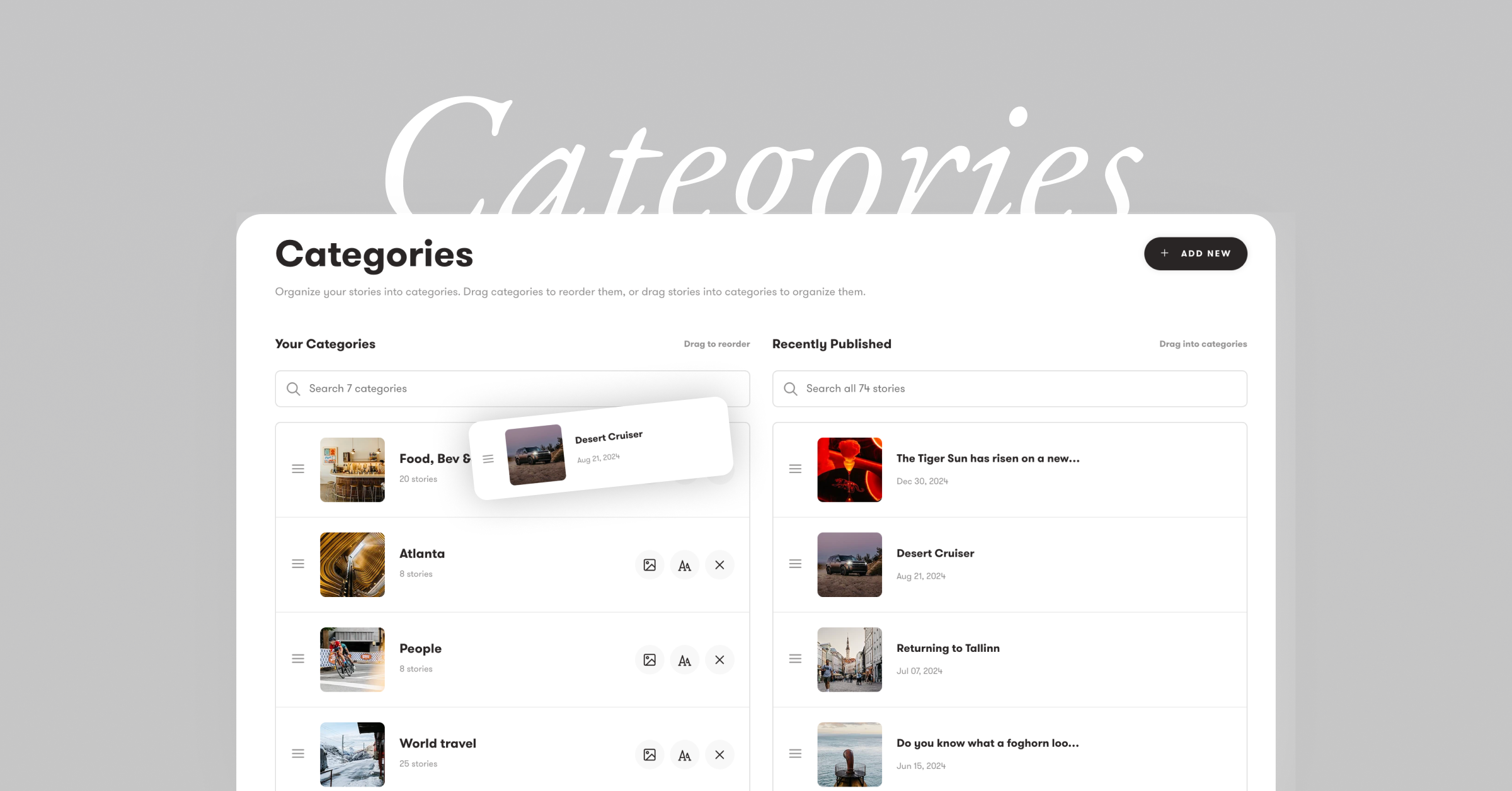
Your Story Categories just got a whole lot easier and faster to manage. Just Drag and Drop. You can now reorder your categories with simple drag and drop. Just grab any category and move it—the order updates instantly on your site. Just like you do with your Stories (we also made that faster).
Thanks to a new dedicated page to manage your Categories organizing stories is now as simple as dragging them. On the categories settings page, just drag any story from the right column onto a category on the left. Stories can belong to multiple categories too. Adding a new category is blinding fast both from a story and in the Categorize settings.
Custom Category Covers Set a custom cover image for each category. Click the thumbnail in your category settings, pick from any story in that category, and you’re done. Your site’s category cards will showcase the cover you choose.
Hover Previews When visitors hover over a category on your site, they’ll see a preview cycling through the covers of stories inside—a nice way to show what’s in each category at a glance.
Head to Settings → Categories to try it out.
👉 Read the full help article on Categories.
Questions? Reach out at hello@exposure.co.