
Add Buttons Anywhere in Your Story
New feature
Section titled “New feature”Buttons can help call your readers to action for things like learning more, purchasing a product or even donating to a cause. With this update you have the new ability to add buttons anywhere in your Exposure stories in just a few clicks, no code required.
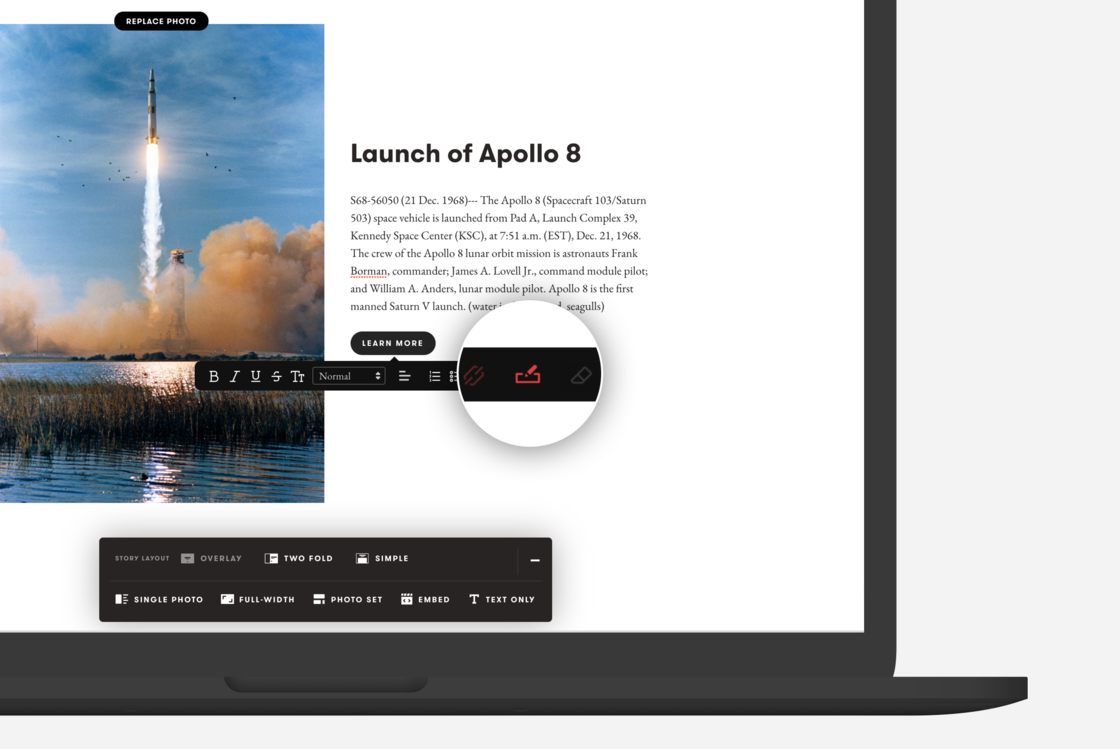
To add a button simply highlight the words you want to use, add a link using the 🔗icon then select the new Button style 📝icon next to the link icon.
You will need to make sure your link is added before the button style will appear.
You can remove the button style by highlighting the the same word and clicking the button icon again and you can include as many buttons as you like.
Previously you could only add one button to the footer of your story as a Business subscriber. Adding buttons anywhere in your story is available for any plan. The Footer Button feature for stories has been retired for this new and improved option.